
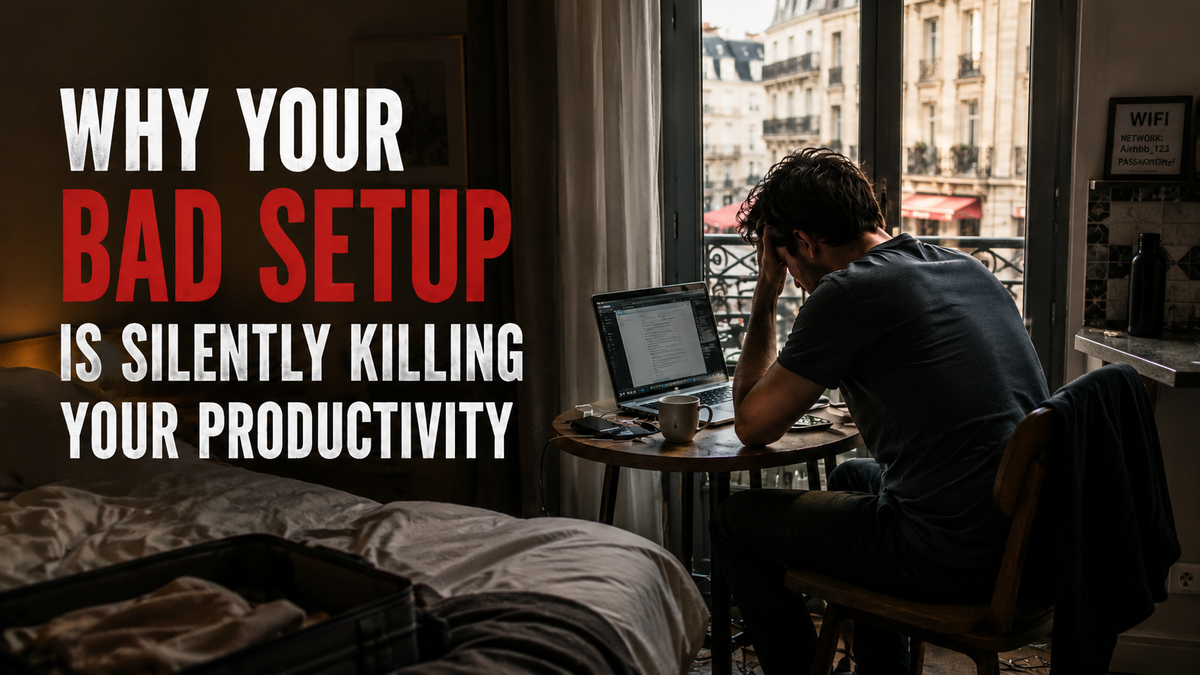
A bad workspace doesn't announce itself. It doesn't crash dramatically. It drains you slowly — a little focus here, a little energy there — until you're running at half capacity and wondering what's wrong with you.
You sit down to work. You have time. You have things to do. But by mid-morning you're distracted, by afternoon you're foggy, and by evening you've produced a fraction of what you intended. You go to bed thinking you just need more discipline tomorrow.
Here's what nobody is telling you: discipline isn't the problem. Your setup is.
This post covers why that happens, how deep the damage goes, and what you can actually do about it.
What "bad setup" actually means
Most people think bad setup means an ugly desk. It doesn't.
A bad setup is any workspace configuration that creates unnecessary cognitive load, physical strain, or environmental friction — anything that makes your brain work harder than the actual work requires.
It shows up as:
- A laptop screen below eye level (you're looking down all day)
- No dedicated workspace — the couch, the bed, the kitchen table with dishes in view
- Inconsistent or harsh lighting
- Ambient noise you can't control: TVs, family conversations, street noise
- A cluttered visual field within your eyeline
- No physical separation between work mode and rest mode
- A chair that puts your spine in a compromised position for hours
None of these feel catastrophic in the moment. That's what makes them so damaging.
The physical damage: your body is bleeding energy
When you work hunched over a laptop without a stand, your neck tilts forward. This is called forward head posture, and the consequences compound every hour.
Your head weighs approximately 5kg in neutral position. For every inch it tilts forward, the effective strain on your cervical spine roughly doubles. At a typical laptop angle — screen below eye level, head forward 3–4 inches — your neck bears the equivalent of 18–27kg of load. That's a bowling ball sitting on your spine for eight hours.
Your body doesn't ignore this. It activates low-level muscular tension in your neck, upper back, and shoulders to compensate. That tension doesn't disappear when you close the laptop — it accumulates. Over days and weeks it becomes chronic pain, reduced range of motion, and a constant, low-grade drain on your energy.
And here's the part that directly hits your output: that physical tension costs cognitive resources. Your brain is partially engaged in managing discomfort, even when you're not consciously aware of it. You're losing mental bandwidth to a posture problem.
Research published in Biofeedback found that participants sitting in a slouched position reported significantly lower energy, increased negative emotions, and reduced verbal fluency compared to those sitting upright. Posture affects thought quality — not as metaphor, but as neuroscience.
RemoteMode tip: A portable laptop stand brings your screen to eye level in seconds. Paired with a compact wireless keyboard, it eliminates the forward head posture that quietly drains your energy across every session.
Visual clutter is brain pollution
Your brain's attention system is always on, scanning your environment for signals that need a response.
Research from Princeton University's Neuroscience Institute found that visual clutter competes directly for your neural resources. When multiple stimuli are visible — a stack of mail, open bags, cable tangles, dishes — your brain's attention system is constantly processing and suppressing them. It's not passive. It consumes real cognitive energy.
The result is attentional residue: even when you're focused on a task, a portion of your cognitive capacity is quietly occupied by environmental noise. You feel scattered without knowing why.
This is why people with clean, minimal workspaces report higher focus and lower mental fatigue — not because minimalism is a philosophy, but because it's physiological relief. Your brain stops fighting its own environment.
Remote workers are especially vulnerable here. Home environments are designed for rest, eating, and socialising — not focus. Your brain has strong existing associations with relaxation in your home. Working there without intentional setup design means fighting those associations every single day.
The boundary problem: when everywhere is the office, nowhere is
Offices provide something most remote workers take for granted until it's gone: automatic context switching.
When you commute to an office, your brain registers a clear transition between home mode and work mode. Environmental cues — a specific desk, colleagues, the building itself — trigger a cognitive shift into task-focused state. When you leave, you transition back.
A bad home setup collapses this. Your brain never fully switches modes. Work follows you to the couch. Rest invades your work sessions. The bed becomes an anxiety-laden reminder of unfinished tasks.
Researchers at Durham University (2026) confirmed what remote workers had already been feeling: home distractions don't just interrupt work — they impair psychological wellbeing and reduce productivity even when workers aren't being actively distracted. The mere presence of a high-distraction environment carries a chronic ambient cognitive cost.
A dedicated workspace with physical boundaries — even just a specific desk or corner used only for work — creates the environmental cue that triggers work mode. When you leave it, you genuinely leave work. Your brain learns the rule. Recovery becomes possible. Tomorrow's focus improves.
The lighting problem most people ignore
Light regulates your circadian rhythm, your alertness levels, and your mood. Most home offices have terrible light.
Dim overhead bulbs with warm tones create the kind of light your brain associates with evening. Working under them triggers cortisol suppression and melatonin release — essentially signalling to your body that it's time to rest. You feel sluggish and wonder why you can't concentrate.
Optimal work lighting is bright and cool-toned (5000–6500K) to simulate daylight, indirect and diffused with no screen glare, and positioned at or above your screen level.
A small adjustable LED desk lamp with a daylight colour temperature is one of the cheapest productivity upgrades available. Most people never bother.
Noise: what you hear controls what you think
The relationship between noise and focus is not linear. Moderate ambient noise (~70 decibels, roughly café-level) can actually enhance creative cognition for some people, per the Journal of Consumer Research. But unpredictable, intrusive noise — a TV in another room, family conversations, notification chimes — fragments attention in a fundamentally different way.
These sounds don't just compete with your thinking. They hijack your attentional system involuntarily, triggering orienting responses that redirect your focus whether you want them to or not.
The cost is steep: per the University of California, Irvine, each interruption costs an average of 23 minutes and 15 seconds of full recovery time. Three noise interruptions in a morning wipes out over an hour of deep work capacity. Not recovered. Gone.
RemoteMode tip: Noise-cancelling headphones are workspace infrastructure, not a luxury. They're the fastest single-item fix for uncontrolled audio environments — whether you're at home, in a café, or in a hotel room. Browse our travel work gear.
The digital setup problem
Your physical environment is only half the problem. Your digital environment may be more damaging.
The average remote worker receives dozens of notifications per day. Each one triggers an interruption response, even if you don't act on it. Research from the University of Texas (2017) found that the mere presence of your phone on your desk — even face-down and silent — measurably reduces available working memory. Your brain is partially occupied by the possibility of a notification.
A bad digital setup:
- Notifications enabled across all apps
- Email open in a background tab, checked reflexively
- Messaging apps running continuously
- Bookmarks bar full of distracting sites always visible
- No system for what's allowed open during a focus session
These don't feel like big deals. They feel like normal. But they are the architecture of distraction — and every remote worker without a clean digital setup is living inside it.
The compounding effect: bad setup gets worse over time
Physical strain builds into chronic pain. Chronic pain creates persistent fatigue. Fatigue reduces your ability to protect your attention. Reduced attention creates scattered work. Scattered work creates stress. Stress degrades recovery quality. Poor recovery means you start tomorrow already depleted.
The remote worker with a bad setup doesn't just have a worse day. They have a progressively lower ceiling for good work.
The flip side is equally true: a good setup creates a compounding advantage. Fix the ergonomics and the physical drain stops accumulating. Clear the environment and cognitive load drops. Set up noise control and focus becomes more accessible. Each improvement builds on the others.
What a good setup actually requires
You don't need an expensive home office. You need the basics done right.
| Area | Minimum requirement |
|---|---|
| Ergonomics | Screen at eye level, external keyboard and mouse, back supported, feet flat |
| Environment | Dedicated surface for work only, clear of unrelated items, daylight-spectrum lighting |
| Noise | Headphones or closed door for deep work, phone out of the room or face-down |
| Digital | Notifications off during focus blocks, email on schedule, one tab open |
This isn't a luxury setup. It's the minimum viable workspace for serious remote work.
The short version
The productivity gap between remote workers is not primarily about intelligence, discipline, or motivation.
It is, to a surprising degree, about setup.
Two people with identical skills and identical tasks will produce dramatically different output depending on whether their workspace is designed for focus or assembled by default. The one in a distraction-filled, ergonomically poor, noise-contaminated environment is fighting every hour. The one with a clean, ergonomic, controlled environment is flowing.
You can't will your way out of a bad environment. You have to fix it.
Key takeaways
- Bad setup is silent but cumulative — it drains continuously without announcing itself
- Forward head posture from an unsupported laptop isn't just physical pain — it's a cognitive leak
- Visual clutter competes for attention even when you think you're focused
- Each noise interruption costs ~23 minutes of recovery time
- Good setup compounds — every improvement builds on the others
- You can't discipline your way out of a bad environment — you have to redesign it
Frequently asked questions
How does a bad home office setup affect productivity?
A poor setup reduces productivity in multiple overlapping ways: physical strain from bad ergonomics drains cognitive energy, visual clutter consumes attention, uncontrolled noise triggers repeated interruptions (each costing ~23 minutes of recovery), and the absence of a dedicated workspace prevents effective context switching. The effects compound over time, progressively lowering output capacity.
Does posture really affect focus and mental performance?
Yes. Research published in Biofeedback found that slouched posture reduced energy, increased negative emotions, and reduced verbal fluency compared to upright posture. Poor posture — especially the forward head tilt common when using a laptop without a stand — also creates chronic muscular tension that quietly consumes cognitive resources. Better posture directly improves cognitive performance.
What is the minimum viable workspace for remote work?
At minimum: a dedicated surface used only for work, screen at eye level (laptop stand if needed), external keyboard and mouse, lighting that doesn't cause eye strain, and a way to manage noise. Digital setup matters equally — notifications off during deep work, email checked on a schedule, no distracting tabs open during focus sessions.
Why do I feel mentally drained after working from home even when I haven't done much?
Environmental friction is usually the cause. If your workspace has visual clutter, poor ergonomics, uncontrolled noise, or no clear separation from rest spaces, your brain is expending energy all day managing these inputs — even without conscious awareness. This ambient drain creates fatigue disproportionate to the actual work done. Cleaning up your setup often produces a noticeable reduction in end-of-day depletion.
How do I separate work from home life when I work from home?
Physical separation is the most effective method: designate a specific area or desk used only for work, and leave it at the end of your workday. Environmental cues train your brain to switch modes. Pair this with a consistent start ritual and a hard stop time. The goal is to create the same psychological context-switching a commute provides — you just have to build it deliberately.