
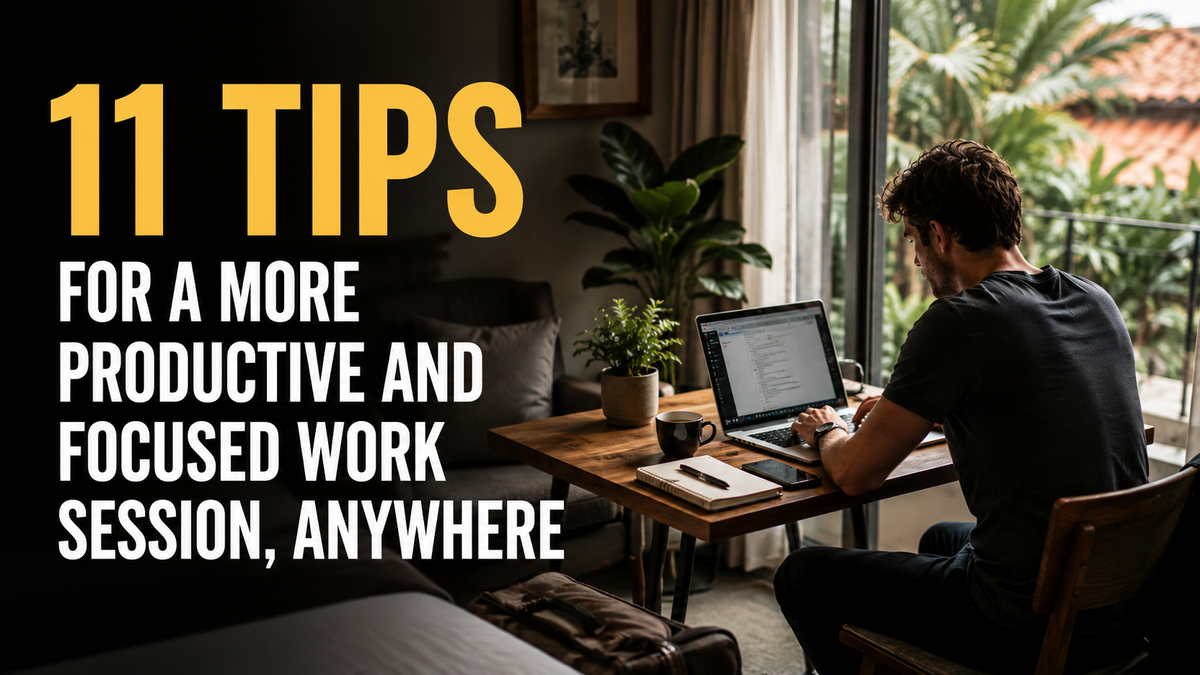
The people who consistently get deep work done from cafés, hotel rooms, and kitchen tables aren't more disciplined than you. They've built smarter systems. Here's exactly what those systems look like.
You opened your laptop three hours ago. You answered a few emails, scrolled twice, made coffee, and produced almost nothing that matters.
It's not a willpower problem. Productivity when you're working remotely is a design problem — and the people who nail it have mostly built smarter habits and, more often than not, a smarter setup.
Whether you're at home, in a café in Lisbon, or a hotel room in Tokyo, these 11 tips will help you get more done in less time — and actually finish the day feeling like it counted.
1. Design your environment before you sit down
Your environment shapes your behavior more than motivation ever will.
Research from Princeton University found that physical clutter competes for your brain's attention and reduces your ability to focus. Before you start, take two minutes to clear your space. Anything unrelated to your current task — out of sight.
This applies on the road too. In a hotel room, close the closet, push the suitcase aside. In a café, choose a corner seat with your back to the wall. Control what you can.
A quick checklist before every session:
- Screen at or near eye level (use a laptop stand if you're working on a laptop)
- Charger plugged in or battery above 70%
- Headphones within reach
- Phone face-down or in a bag
- One tab open — your actual work
RemoteMode tip: A portable laptop stand takes up almost no space and immediately puts your screen at eye level, cutting neck strain and improving posture across the whole session. Small change, real difference.
2. Use time blocking, not a to-do list
To-do lists tell you what to do. Time blocking tells you when.
Cal Newport's research on deep work shows that pre-scheduling work into specific blocks dramatically increases both output and satisfaction. Block time for deep work — focused, cognitively demanding tasks — separately from shallow work like email and admin.
| Block | Duration | What it's for |
|---|---|---|
| Morning deep work | 90–120 min | High-focus creative or analytical work |
| Mid-morning admin | 30–45 min | Email, messages, scheduling |
| Afternoon deep work | 60–90 min | Second-priority tasks |
| End-of-day wrap | 20 min | Review + plan tomorrow |
Protect your deep work blocks. Don't schedule calls during them.
3. Start with your most important task first
Every decision you make throughout the day depletes a finite mental resource. Decision fatigue is real and it builds fast.
Your best thinking happens in the morning. Use it on your most important task — the single thing that, if done today, makes the day a success. Write it down the night before. Wake up knowing exactly what you're doing. No deliberation, no scrolling warm-up. You sit down and work.
4. Set a session intention, not just a duration
"I'll work for two hours" is vague. "I'll finish the first draft of this section in the next 90 minutes" is a target.
Specific session intentions trigger what psychologists call implementation intentions — mental plans that link a situation to a specific behavior. Studies show this increases follow-through by up to 300%.
Before every session, write: By the end of this block, I will have [specific output].
5. Eliminate digital distractions before they happen
The average remote worker is interrupted every 2–8 minutes. After each interruption, it takes an average of 23 minutes and 15 seconds to return to full focus (University of California, Irvine). Three Slack pings in the morning can cost you over an hour of real work. Prevention always beats recovery.
Before your deep work block:
- Put your phone on Do Not Disturb or in another room
- Use a site blocker (Freedom, Cold Turkey, or browser Focus Mode)
- Set Slack/Teams status to "Focusing — back at [time]"
- Close all tabs except your active work
6. Work in 90-minute cycles
Your brain naturally cycles through peaks and troughs of alertness roughly every 90 minutes — the ultradian rhythm. Fighting these cycles by pushing through exhaustion produces diminishing returns and slower recovery.
Work with them instead:
- 90 minutes on — full focus, no interruptions
- 20–30 minutes off — real rest: walk, food, eyes closed
- Repeat 2–3 cycles per day for high-quality output
Many remote workers try to work eight hours straight and wonder why they produce less than someone who works five focused hours. That's why.
7. Anchor your sessions with a start ritual
Your brain associates cues with states. Offices provide them automatically — the commute, the coffee machine, sitting at your desk. Working remotely strips all of that.
Build your own. A start ritual is a short, repeatable sequence that signals to your brain: time to work. Done consistently, it will start triggering focus automatically.
Example (10 minutes):
- Make your drink of choice
- Silence your phone
- Put on headphones with focus music
- Write your session intention
- Start a timer
8. Use the right sound environment
Silence isn't always optimal. Research from the Journal of Consumer Research found that moderate ambient noise — around 70 decibels, roughly the sound level of a coffee shop — can enhance creative cognition. But loud, unpredictable noise fragments focus in a fundamentally different way. Sharp sounds and conversations you can understand hijack your attention involuntarily.
| Task | Best sound environment |
|---|---|
| Writing / creative work | Ambient café noise, lo-fi music |
| Deep analytical work | Binaural beats, white noise, or silence |
| Calls / meetings | Active noise cancellation |
| Reading / reviewing | Light instrumental music or silence |
If you're working in a noisy environment, noise-cancelling headphones aren't a luxury. They're infrastructure.
9. Protect your posture — it affects your brain
Bad posture doesn't just cause pain. It directly affects cognitive performance.
Research published in Biofeedback found that sitting in a slouched position reduces energy levels and increases negative emotions. Separate studies show that upright posture improves confidence, focus, and verbal fluency. When you're hunched over a laptop without a stand, your neck absorbs up to 27kg of extra pressure per inch of forward head tilt. That physical strain quietly drains mental energy over the course of a day.
Non-negotiables:
- Screen at eye level — stand or external monitor
- Elbows at roughly 90°, wrists flat
- Back supported, not rounded
- Feet flat on the floor
RemoteMode tip: A portable laptop stand paired with a compact wireless keyboard is the fastest ergonomic upgrade available for remote workers. Both fit in a day bag.
10. Batch low-cognitive tasks together
Switching between deep work and shallow work is expensive. Every switch costs time and mental energy. Batch all similar low-cognitive tasks into one block: reply to all emails at once, do all admin in a single sitting, schedule calls back-to-back. This preserves your best cognitive hours for work that actually requires them.
11. End your session with a hard stop
Ernest Hemingway stopped writing mid-sentence when his session ended, so he always knew exactly where to pick up. Cal Newport recommends a shutdown ritual: review your task list, capture loose ends, say aloud "shutdown complete."
When work bleeds into personal time indefinitely, recovery doesn't happen. And without recovery, you're not building focus — you're spending what's left of it. Set a hard stop time. Honor it.
The short version
The people who work well from anywhere haven't eliminated distractions. They've built systems that make focus easier than distraction. Environment, tools, rituals, and boundaries all compound. Get enough of them right and you'll produce more in four focused hours than most people produce in eight scattered ones.
Pick two tips from this list. Run them for a week. Notice what shifts.
Key takeaways
- Environment is a system — design it before you sit down, don't react to it
- Time blocking beats to-do lists — schedule deep work as non-negotiable
- Start with your most important task — use peak morning cognition wisely
- Work in 90-minute cycles — align with your brain's natural rhythms
- A hard stop is as important as a hard start — recovery enables tomorrow's performance
Frequently asked questions
How do I stay productive when working remotely?
Staying productive while working remotely requires intentional systems rather than willpower. Set a specific session intention before you start, block time for deep work with no meetings or messages, and eliminate digital distractions proactively. Physical environment matters too — a clean, ergonomic setup reduces friction and mental drain before you've typed a single word.
What is the best way to focus while working from home?
The most effective way to focus while working from home is to eliminate distractions before they occur. Turn off phone notifications, use a site blocker during focus blocks, close all irrelevant tabs, and set messaging apps to "do not disturb." Pairing this with a laptop stand and noise-cancelling headphones creates the conditions for sustained, uninterrupted work.
How long should a focused work session be?
Research on ultradian rhythms suggests 90 minutes is the natural peak of focused cognitive performance before the brain needs rest. Most productivity researchers recommend 60–90 minute blocks followed by 20–30 minute real breaks. Pushing past this without rest produces lower quality output and slows recovery.
Does where you work affect your productivity?
Yes, significantly. Environment directly shapes behavior, focus, and energy. Cluttered or uncomfortable spaces increase cognitive load and reduce output. The most productive remote workers treat their environment as a tool — controlling lighting, noise, ergonomics, and visual clutter regardless of where they are.
What is deep work, and why does it matter for remote workers?
Deep work, coined by researcher Cal Newport, refers to professional activities performed in a state of distraction-free concentration that push your cognitive abilities to their limit. For remote workers, protecting time for deep work is especially important because the home environment lacks the external structure of an office. Deliberate blocks of deep work produce significantly more output per hour than fragmented, interrupted work.
Can a laptop stand really improve productivity?
Yes, for two reasons. First, it brings the screen to eye level, eliminating the forward head posture that causes neck and upper back strain — a physical energy drain that compounds across hours and days. Second, it creates a more intentional workspace configuration that reduces the psychological friction of "just working anywhere on my laptop." For any remote worker regularly using a laptop, a stand is one of the highest-return investments available.